The spark
I've been tracking my spending for a while. The habit was never the hard part, consistency was.
It started in Excel, building my own formulas to answer one thing: not just where the money went, but how much I had left to spend, right now.
I tried the usual apps too. Feature-rich, well designed, and somehow still too heavy to open every day. So I moved back to Google Sheets and started over.
Now, with AI in the picture, I started thinking about simplifying it properly: less columns to fill, better UI, and using AI as part of the build itself.
That's Monley. Built to answer one question honestly: where is my money?
What it does
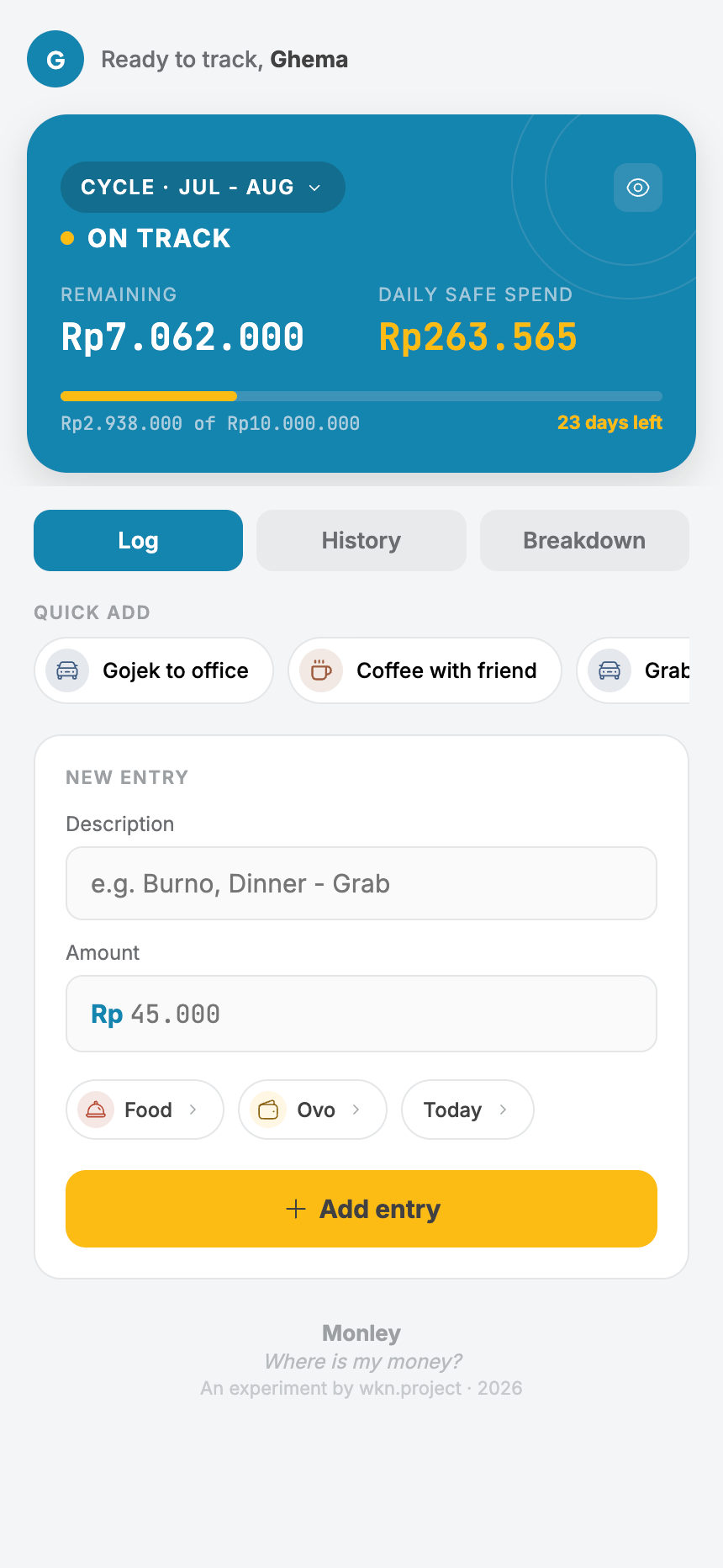
- Daily spend limit, calculated live, so you always know how much is actually safe to spend today, not just what's left in the month
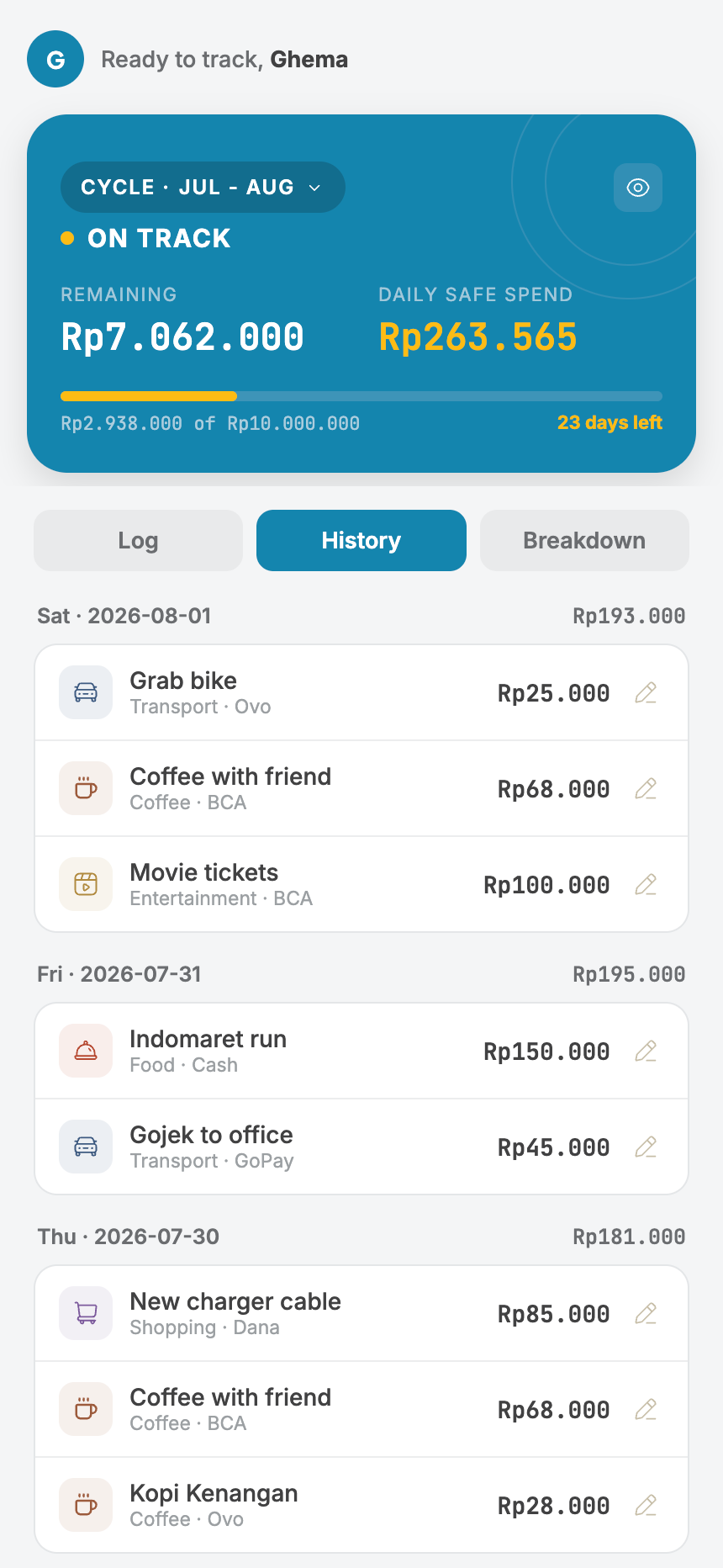
- Logs daily spend against a monthly cycle, not a calendar month
- Quick-add, built to remove the friction that made the old apps feel heavy
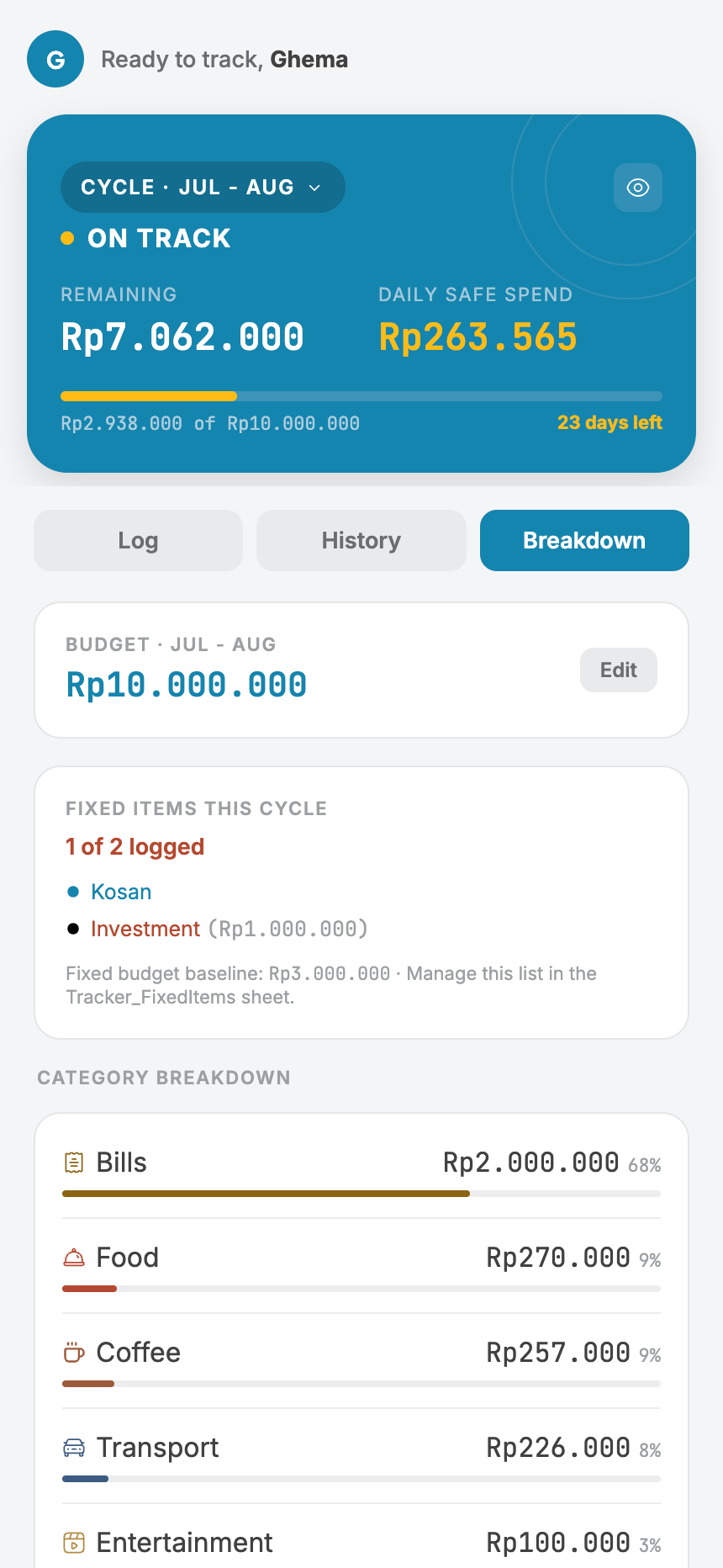
- A reconciliation view at the end of each cycle, so you know, not guess
- Splits fixed costs (rent, recurring transfers) from actual daily spend
Open, and yours to build on
Monley isn't staying locked to my own sheet. The plan is to open it up fully, the template and the script, so anyone can copy it, run it, and shape it into their own version.
No installation. No coding skills needed. It runs entirely online, inside a Google Sheet you already have.
How it's built
No backend, no hosting bill, no new account to create. Monley is a Google Apps Script web app sitting directly on top of a Google Sheet.
Try it yourself
- Make sure you're logged into your Google account, then open the Monley template link [link] and click "Make a copy" when prompted
- Rename the copy if you'd like, it's fully yours now
- Open Extensions → Apps Script from that sheet, the code is already there, it copied with the sheet
- Click Deploy → New deployment
- Select type: Web app
- Set "Execute as" to Me, and "Who has access" to Only myself
- Click Deploy
- Google will show an "unverified app" warning, click Advanced → Go to [project name] (unsafe) to authorize it, expected for personal scripts, not a red flag
- Copy the Web App URL it gives you
- Bookmark it, open it, start logging
No comments yet, be the first.